
Never Miss a Critical Alert
On-call scheduling, escalation policies, and multi-channel notifications for any team — without the complexity or the enterprise price tag.
No credit card required
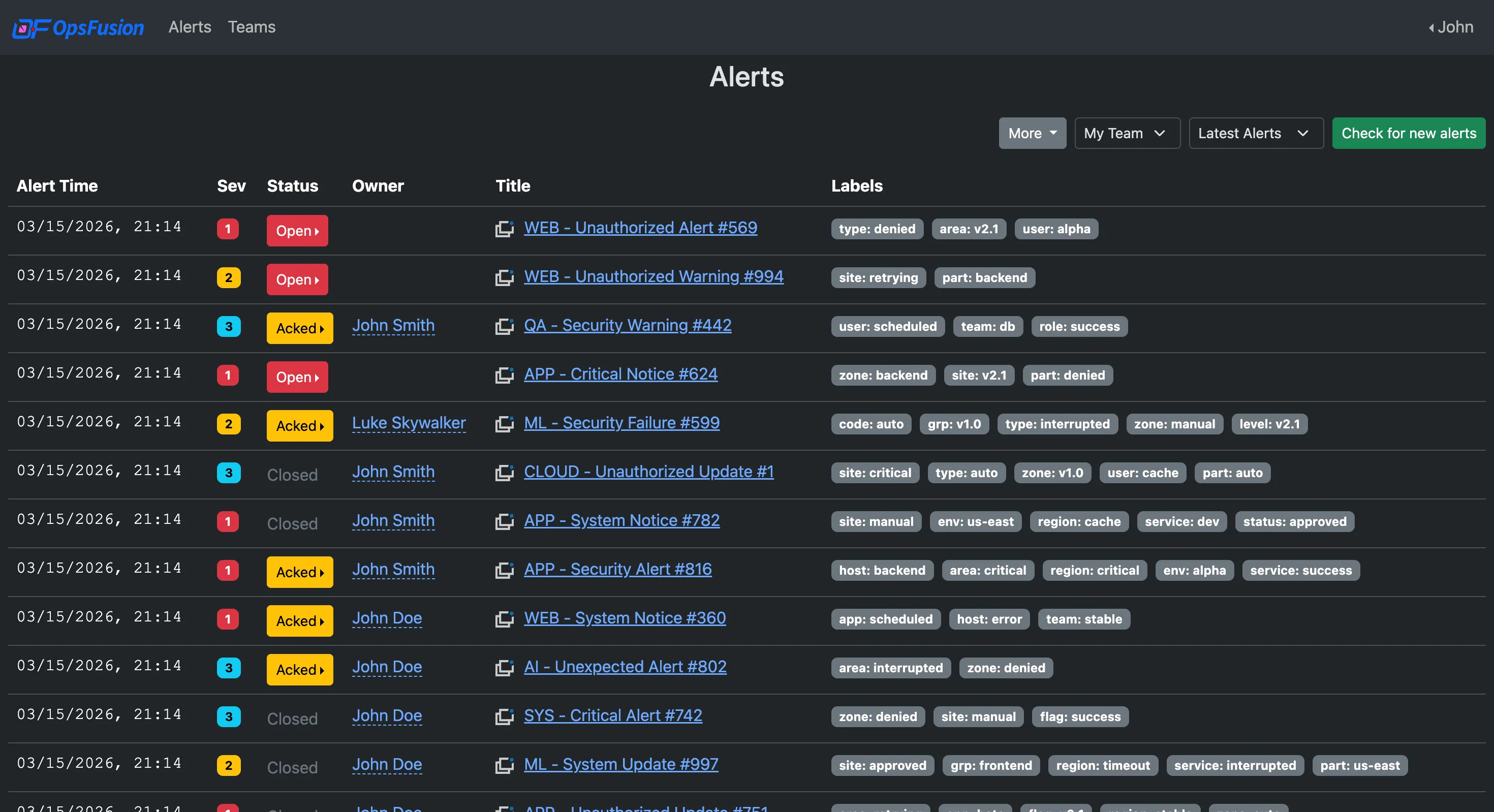
On-call tools got too complicated and too expensive.
Most on-call and alerting platforms were built for large enterprises — and priced accordingly. OpsFusion is different.
- Zero setup complexity. Create schedules, define escalation rules, and start receiving alerts in minutes — not weeks.
- Predictable pricing. Flat $10/user/month — all features included, no tiers, no surprises.
- No sales process. Sign up, start your free trial, and upgrade on your own terms.
Everything you need to stay on call — nothing you don't
Simple tools. Clear workflows. Reliable delivery.
Schedules That Fit Your Team
- Daily, weekly, and fully customizable schedules by the hour
- Shift swaps and PTO overrides
- Multi-layer escalation policies
Reach Anyone, Any Way
- Email, SMS, and voice call alerts
- Customizable notification order per user
- Automatic escalation on non-response
Built for Critical Alerts
- Cloud-native infrastructure
- US-based engineering and support
- Reliable delivery for any team, any industry
No Surprises on Your Bill
- $10/user per month, all features included
- 30-day free trial
- No contracts, cancel anytime
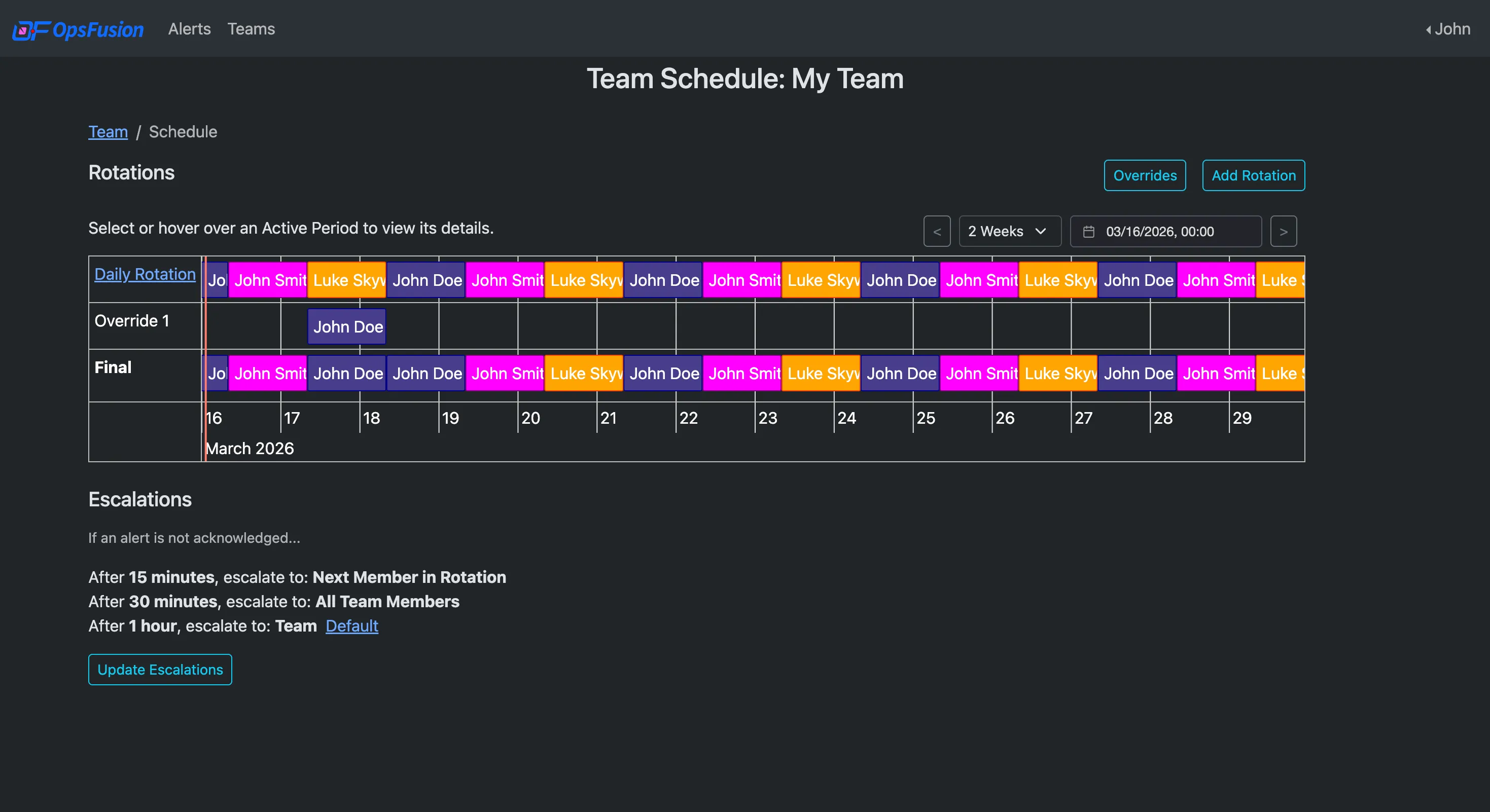
Scheduling Without the Headaches
Build on-call rotations that fit how your team actually works. Set up daily, weekly, or custom schedules with automatic handoffs — and adjust instantly for PTO or shift swaps without disrupting on-call coverage.
- Daily, weekly, and custom rotation patterns
- Override any shift for vacations or emergencies
- Multi-layer escalation so someone always gets the alert
- Visual schedule timeline to see who's on at a glance
Reach the Right Person Before It Escalates
Alerts find your team wherever they are. Set a preferred notification order per user — start with email, escalate to SMS, then phone call if needed. Automatic escalation means no alert goes unacknowledged.
- Email, SMS, and voice call channels
- Verified device delivery for SMS and voice
- Escalate to the next on-call, a specific person, or an entire team
- Mute notifications during a major outage to prevent alert flooding
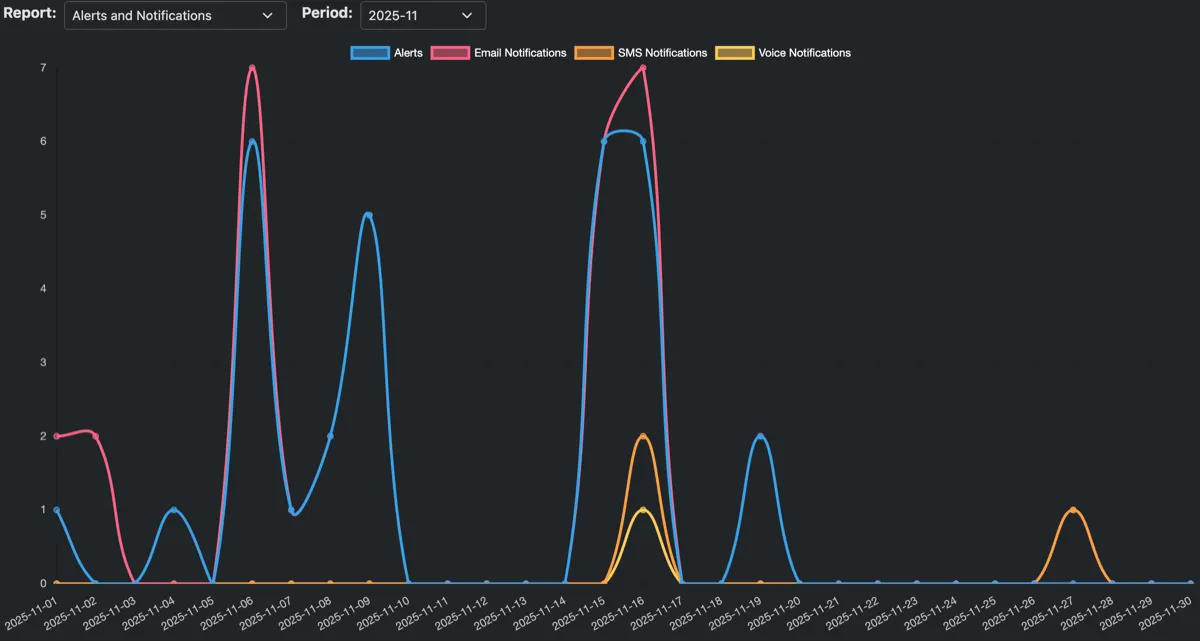
See What's Actually Happening
Built-in dashboards show alert volume, notification delivery, and team-level activity. Understand your on-call patterns and optimize your escalation process without exporting data to another tool.
- Account-level and per-team reporting
- Full alert timeline — who was notified and when
- Monthly usage summaries at a glance
- Full audit log of all account activity
Automate It with the API
Connect OpsFusion to the rest of your stack. Send alerts from your monitoring tools and automate the routine work of running your account.
- Send alerts as JSON or directly from Prometheus Alertmanager
- Give each key a role that limits what it can do
- Manage alerts, teams, users, and invites
- Write actions appear in your audit log, with the key that made them
GET /v1/account/{accountId}/team/{teamId}/alert
Authorization: YOUR_API_KEY

200 OK
{
  "items": [
    {
      "id": 1234567890,
      "teamId": 1234567890,
      "title": "High CPU on web-01",
      ...
    },
    ...
  ]
}Frequently Asked Questions
What kinds of teams use OpsFusion?
Any team that needs reliable escalations and on-call notifications — engineering, IT, operations, security, support, facilities, healthcare, and more. If your team needs to know about critical events fast, OpsFusion fits.
How long does setup take?
Most teams are up and running in under an hour. Create a team, add members, set a schedule, configure escalation rules, and start sending alerts — that's the entire setup.
Is a credit card required for the free trial?
No. You get a 30-day free trial without entering any payment information.
What notification channels are supported?
Email, SMS, and voice call (phone). Mobile push notifications are coming soon. Each user can set their own preferred notification order.
How does pricing work?
$10/user/month. All features are included at this price — no tiers, no add-ons, no surprise charges.
Can I create escalation rules?
Yes. Escalation policies define who gets notified and in what order if the first contact doesn't respond. You can build multi-layer escalations across your team members.
Do I need to talk to sales?
No. Sign up, start your free trial, and explore the platform on your own. There's no sales call required to get started or to access pricing.
Do you support single sign-on (SSO)?
Yes. Enterprise Single Sign-On is supported via OIDC or SAML, with identity providers such as Okta, Microsoft Entra ID (Azure AD), Google Workspace, OneLogin, and Auth0. You set it up yourself in the app, it's included in the $10/user price, and there's no sales call. Read the setup guide.
Do I need to integrate with a monitoring tool to use OpsFusion?
No. You can trigger alerts and page teams directly from within the app using a built-in form — no API integration or custom tooling required. Integrations are available for automated alerting, but they're not a prerequisite.
What happens if alerts keep firing during a major outage?
You can mute alert notifications during an active outage to stop repeated pages and email blasts while your team is already working the problem. Unmute when you're ready to resume normal alerting.
Do you have an API?
Yes. Use it to send alerts and to manage your account from your own tooling. Every write action taken with an API key is recorded in your audit log, so you can always see what changed and which key changed it. Read the API docs.
Simple Pricing. Everything Included.
One price, no tiers, no add-ons. Start your 30-day free trial — no credit card required.
Cancel anytime
- 30-day free trial
- Notifications via email, SMS, and voice call
- Unlimited email notifications
- Flexible on-call scheduling for any team size
- Automatic escalation policies
- Usage metrics and full audit log
- Enterprise SSO via OIDC or SAML
- Full REST API + 9 integrations
- No contracts — cancel anytime
Get your team on call in under an hour
Start a 30-day free trial. No credit card, no sales call, no complicated setup.