
Usage Metrics
Monitor your organization’s alert and notification usage to ensure you stay within your subscription limits and understand your usage patterns.
Overview
Section titled “Overview”OpsFusion provides usage metrics to help you:
- Monitor alert volumes by team and month
- Track notification usage (SMS, phone calls, email)
- Ensure you stay within subscription limits
- Identify usage trends across your organization
Access Usage Metrics
Section titled “Access Usage Metrics”To view your usage metrics:
- Click on your name in the top-right corner
- Select Account from the dropdown menu
Monitor Your Usage Limits
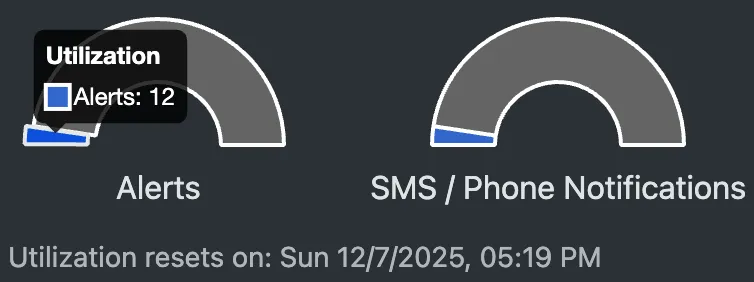
Section titled “Monitor Your Usage Limits”You can view the current month’s usage on the main Account page. Keep track of your usage to ensure you stay within your subscription limits:
Alert Usage
Section titled “Alert Usage”Monitor your alert consumption:
- View current month’s alert count in the metrics dashboard
- Compare usage against your limit (Users × 1,000)
- Alerts reset on the next billing cycle
- You’ll receive notifications when approaching 80% and 90% of your limit
Notification Usage
Section titled “Notification Usage”Track SMS and phone call notifications:
- View current month’s notification count in the metrics dashboard
- Compare usage against your limit (Users × 200)
- Notifications reset on the next billing cycle
- You’ll receive notifications when approaching 80% and 90% of your limit
Email Notifications
Section titled “Email Notifications”Email notifications are tracked separately and are unlimited:
- View email notification volume by team
- Track monthly email trends
- Email notifications do not count toward subscription limits
Usage History
Section titled “Usage History”- Click Usage History in the top right corner of the Account page to view your historic metrics
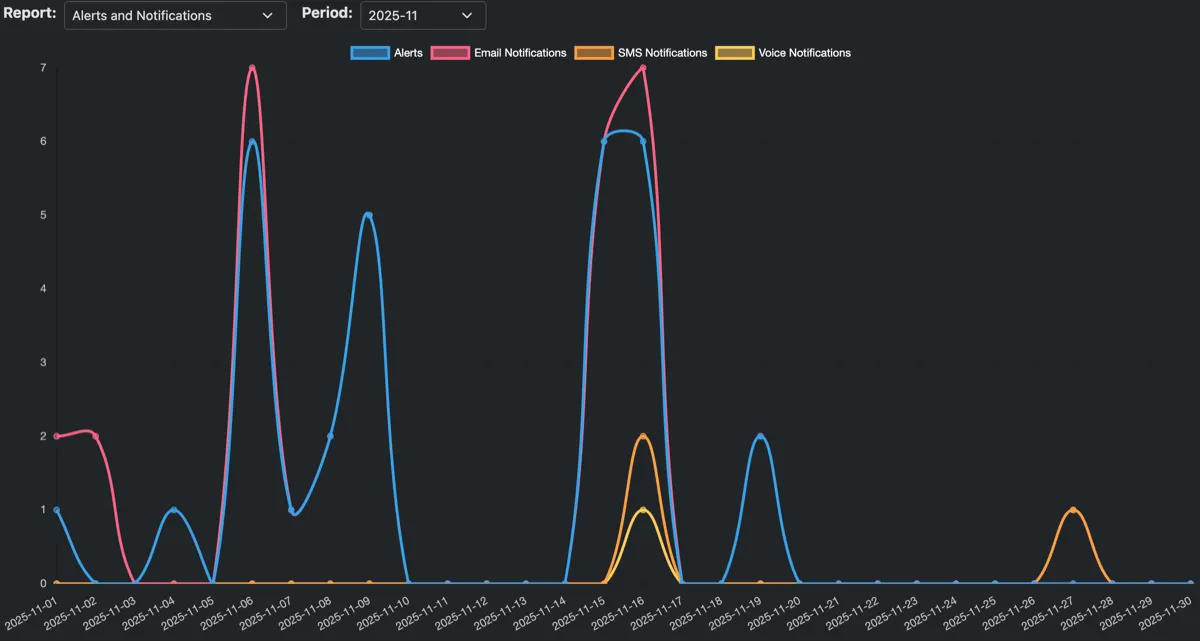
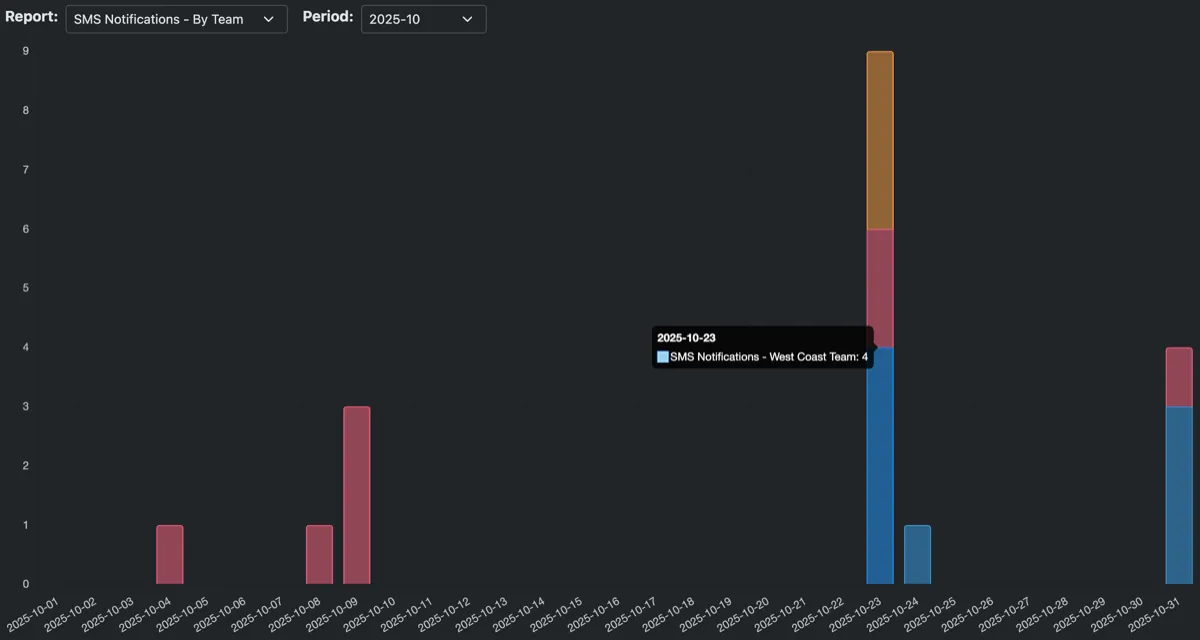
- Select a Report and Period from the dropdown menus to populate the graph:
- Report - Choose from various account, team, or notification type reports
- Period - Select the month to view
Account-level Metrics
Section titled “Account-level Metrics”Track the number of alerts and notifications your organization receives:
- Alerts - Total alerts received
- Email Notifications - Total emails sent
- SMS Notifications - Total SMS messages sent
- Voice Notifications - Total voice calls placed
Team-level Metrics
Section titled “Team-level Metrics”Track notifications sent to your teams:
- Alerts by team - Alerts received for each team
- Email Notifications by team - Email notifications sent to each team
- SMS Notifications by team - SMS notifications sent to each team
- Phone Notifications by team - Voice call notifications placed for each team
Troubleshooting
Section titled “Troubleshooting”Metrics not showing data?
- Verify you have alerts or notifications in the selected month
- Check that your role has permission to view metrics
- Try selecting a different month
Usage seems high?
- Review which teams are receiving the most alerts
- Check for any monitoring misconfigurations causing alert storms
- Consider if your subscription limits need adjustment
Need to increase limits?
- Add more users to your subscription
- See Billing and Subscription for details on managing your subscription
Support
Section titled “Support”For questions about usage metrics:
- Email support@opsfusion.cloud
- Include your Account ID and specific metric questions